PayPal Account Limited: Documents to Gather and How to Submit an Appeal

1. Urgent Payment and Transfer Emergency
A subscription renewal fails, the customer’s saved card has expired, and a PayPal notice says the account is limited. I would first separate those issues: an expired card can cause a declined payment, but it does not by itself prove that PayPal limited the account. The urgent question is whether PayPal has restricted account features, such as receiving or withdrawing money, and what information it requires before restoring them. Check the notice and the Resolution Center by signing in directly at PayPal.com or in the official app—not through a link in an unexpected email.
Until you know the scope, avoid repeatedly retrying charges, opening another account to bypass a restriction, or asking customers to pay through an improvised route. Those steps can create duplicate charges, complicate records, or prompt additional review. I would note the exact message, date, affected transactions, and any listed deadline, then check whether the payment itself is pending, declined, or completed. If you manage subscriptions, pause or schedule retries according to your billing platform’s controls, and tell affected customers how to update an expired card without sharing payment details by email.
2. Root Cause Analysis of Gateway Failures
PayPal may limit an account while it reviews identity, business activity, transactions, or compliance information. Its notice should identify the requested actions; possible requests include identity or address documents, business records, proof of fulfillment, or an explanation of particular payments. A limitation can also follow a change in account activity or a pattern PayPal needs to verify. Do not assume that a card expiry, an ordinary decline, or a gateway error code explains the limitation unless PayPal’s account message connects it to the restriction.
Keep separate the account review from payment-authentication and billing failures. A card issuer may decline a renewal because the card expired, billing details do not match, or the issuer requires authentication such as 3DS2; those issues do not substitute for documents requested in the Resolution Center. Likewise, a PayPal balance or withdrawal restriction is not necessarily the same as a subscription’s failed-payment status. Check the transaction record and the customer’s payment method through the legitimate account tools, and avoid inferring the cause from a single failed retry.
3. Step-by-Step Resolution Manual
Confirm the limitation and its scope. Sign in by typing PayPal’s address or using its official app. Open the Resolution Center and read each request, deadline, and instruction. Save the case or reference number, if shown, and make a list of requested items. If no limitation appears in the account, contact PayPal through its logged-in help or messaging options before sending documents anywhere.
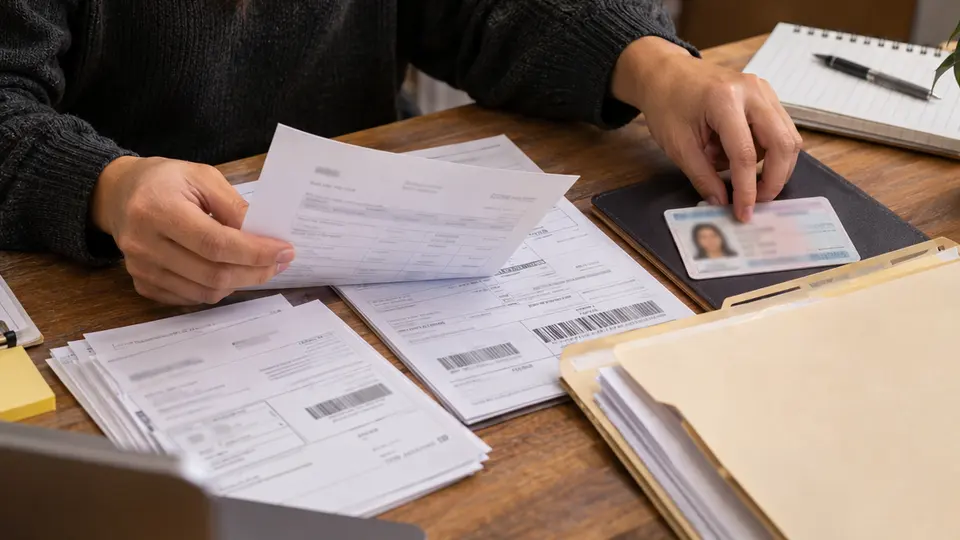
Gather only the documents requested. For identity or address checks, use a clear, complete image of an accepted, current document showing the required details. For business verification, prepare relevant registration or ownership records. For a transaction review, match the request to dated invoices, order confirmations, shipping or service-delivery evidence, refund records, and concise customer correspondence. If PayPal requests a tax form, submit the correct form for your situation through the specified process; do not guess between forms such as
W-8BENandW-9. Ensure names, dates, amounts, and account details are consistent, and explain legitimate differences briefly.Upload through the specified secure channel and track the appeal. Use the document-upload task in the Resolution Center or the exact channel named in PayPal’s notice. Upload readable files in accepted formats, label them clearly, and include a short factual explanation tied to the request; redact unrelated sensitive information only when PayPal’s instructions permit it. Do not send passwords, one-time codes, or full card details. Keep copies of submitted files and the confirmation, monitor the case for follow-up requests, and reply through the same verified account channel. Review times vary, so a submission is not a guarantee of a particular outcome.
4. Practical Checklist to Avoid Account Holds
Before submitting, check that every file answers a specific request and belongs to the account or transaction under review. Use unaltered documents, avoid cropped edges or glare, and make sure the account holder or business name is legible. If a document is unavailable, ask PayPal through its secure channel what alternative it accepts rather than uploading unrelated material. Never follow a caller’s instructions to install remote-access software or disclose a login code; PayPal support should not need your password.
Separately, reduce renewal failures by prompting subscribers to update expired cards through your billing system’s secure payment page. Use a modest, clearly configured retry schedule rather than repeated rapid attempts, and communicate when a payment failed and when another attempt may occur. Keep invoices and fulfillment records aligned with actual transactions, process refunds promptly, and make subscription terms and cancellation steps easy to find. These practices can reduce avoidable disputes and declines, but they cannot prevent every PayPal review or replace any document PayPal requests.
5. Frequently Asked Questions (FAQ)
Q1. Does an expired customer card automatically cause a PayPal account limitation?
A1. No. An expired card can cause a subscription renewal to fail, but an account limitation is a separate restriction that PayPal explains in the Resolution Center. Check both the account notice and the specific transaction status. Do not treat a card update as a substitute for completing a document request.
Q2. What should I include in an appeal?
A2. Follow the items listed in the Resolution Center rather than sending a generic packet. Provide clear, relevant documents and a brief explanation that connects each file to the question PayPal asked. Include transaction dates or reference numbers when useful, and keep a copy of the submission. Submit only through a verified PayPal channel.
Q3. Can I keep retrying subscription payments while PayPal reviews the account?
A3. First confirm which PayPal features remain available and whether the affected transaction is eligible for another attempt. Repeated retries may create duplicate payment attempts without resolving an account-level limitation. Ask subscribers to update expired cards through a secure billing page, follow your platform’s retry settings, and avoid promising a specific date for PayPal’s review.